

本项目前端基于bootstrap前端框架开发,各后台及主题版本由广大网友提供。你可以拿来制作自己的网址导航,也可以做与导航无关的网站。
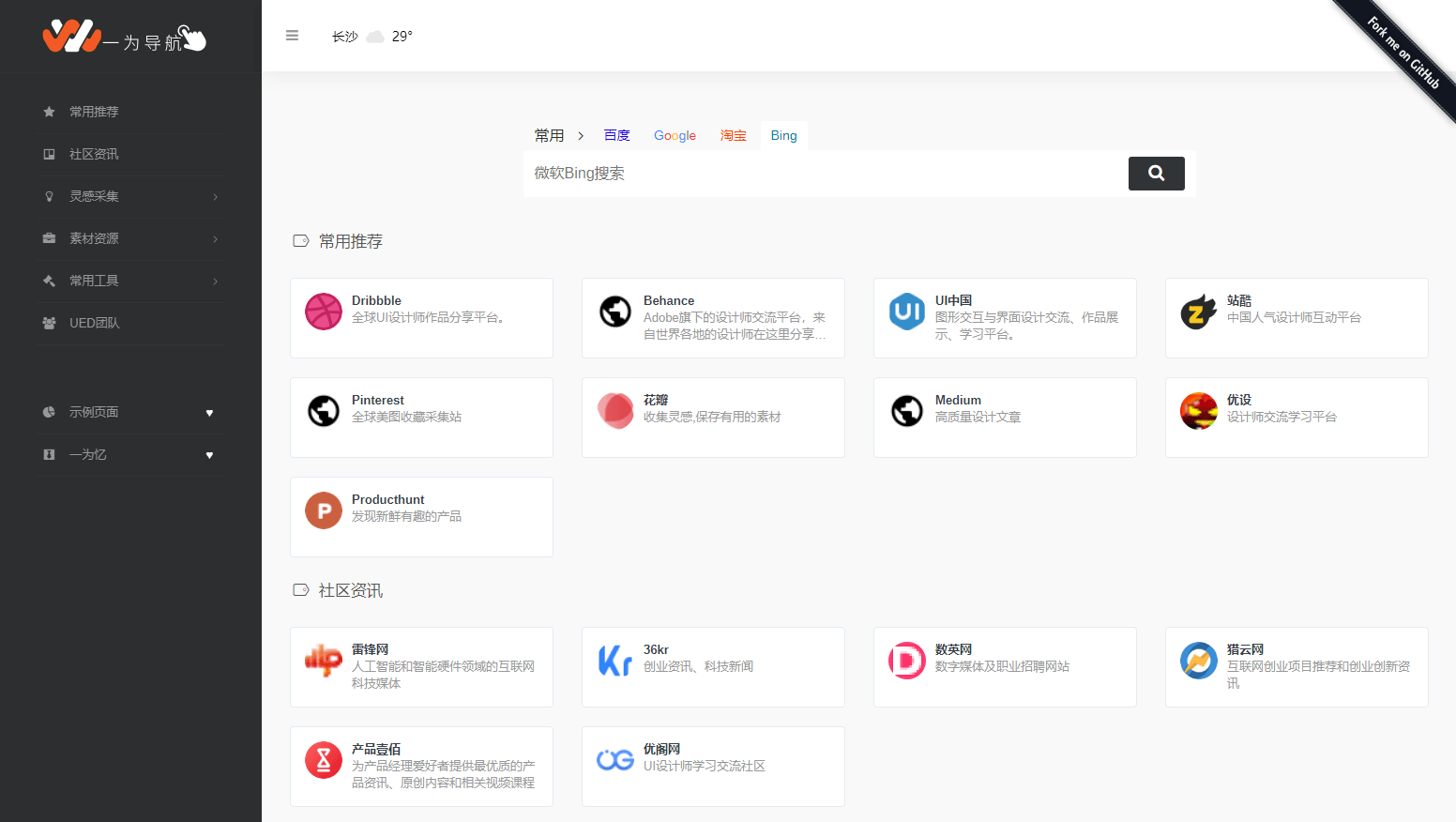
演示站点:
https://webstack.cc/cn/index.html
下载地址:
链接: https://pan.baidu.com/s/1Wtqa8oEQFrDyIrs3Ny0R2w?pwd=v86g 提取码: v86g
怎么用?
你可以直接使用静态托管形式,或者搭建一个后台系统方便管理,可以参考下面的第二第三种解决方案:
方法1. 使用静态托管
最简单快速上线自己的导航网站,你可以直接下载本项目修改内容既可部署上线。
方法2. 使用 WordPress 主题搭建系统
开源地址:https://github.com/owen0o0/WebStack
注意:付费版本和本项目没任何关系,售后问题请找作者
方法3. 使用基于 Laravel 搭建的后台系统
开源地址:https://github.com/hui-ho/WebStack-Laravel
Docker部署版本:https://hub.docker.com/r/arvon2014/webstack-laravel
方法4. Hexo主题
开源地址: https://github.com/HCLonely/hexo-theme-webstack
方法5.1 Hugo主题一
开源地址:https://github.com/shenweiyan/WebStack-Hugo
安装说明:https://www.yuque.com/shenweiyan/cookbook/webstack-hugo
方法5.2 Hugo主题二
开源地址: https://github.com/iplaycode/webstack-hugo
主题演示: https://iplaycode.github.io/nav/
方法6. 基于Java开发的后台系统
开源地址:https://github.com/jsnjfz/WebStack-Guns
方法7. springboot后台 Nikati-WebStack-Guns
开源地址:https://github.com/Nikati/WebStack-Guns-NKT
方法8.1 使用 Jekyll 版本的后台
开源地址:https://github.com/0xl2oot/webstack-jekyll
方法8.2 从Chrome书签生成Jekyll版本配置的工具
体验网址: https://w.hanxi.info/convert.html
开源地址: https://github.com/hanxi/webstack-jekyll
方法9.1 钻芒二开Typecho主题
开源地址:https://www.zmki.cn/5366.html
比较详细的安装教程:https://www.waoww.com/typecho-theme/zmki-webstack.html
预览地址:https://tool.zmki.cn/
方法9.2 SEOGO二开Typecho主题
开源地址:https://www.seogo.me/muban/webstack.html
方法10. 静态博客Gridea主题
开源地址: https://github.com/lmm214/gridea-theme-webstack
在线预览: https://edui.fun/
方法11. VUE版本
开源地址: https://github.com/Anjaxs/WebStack-vue/tree/master
方法12. flask-blog-platform
开源地址: https://github.com/shitianfang/flask-blog-platform/tree/master
方法13. 基于 Golang 开发的后台系统
开源地址: https://github.com/ch3nnn/webstack-go
方法14. 自己写后台系统
可以按照自己的喜好和框架搭建后台系统,也可以参考设计好的后台框架自行搭建。
关于图片资源
/assets/images/logos/default.png 这是网站标签的默认图标
/assets/images/logos 这里是所有网站内的图标切图,尺寸均为120px*120px
/assets/webstack_logos.sketch 这是网站标签收录的所有图标设计源文件,你可以在这里下载 。打开前请确认Sketch版本高于50.2(55047)
